Author: Miriam Reviewed by: Ryan Rusu
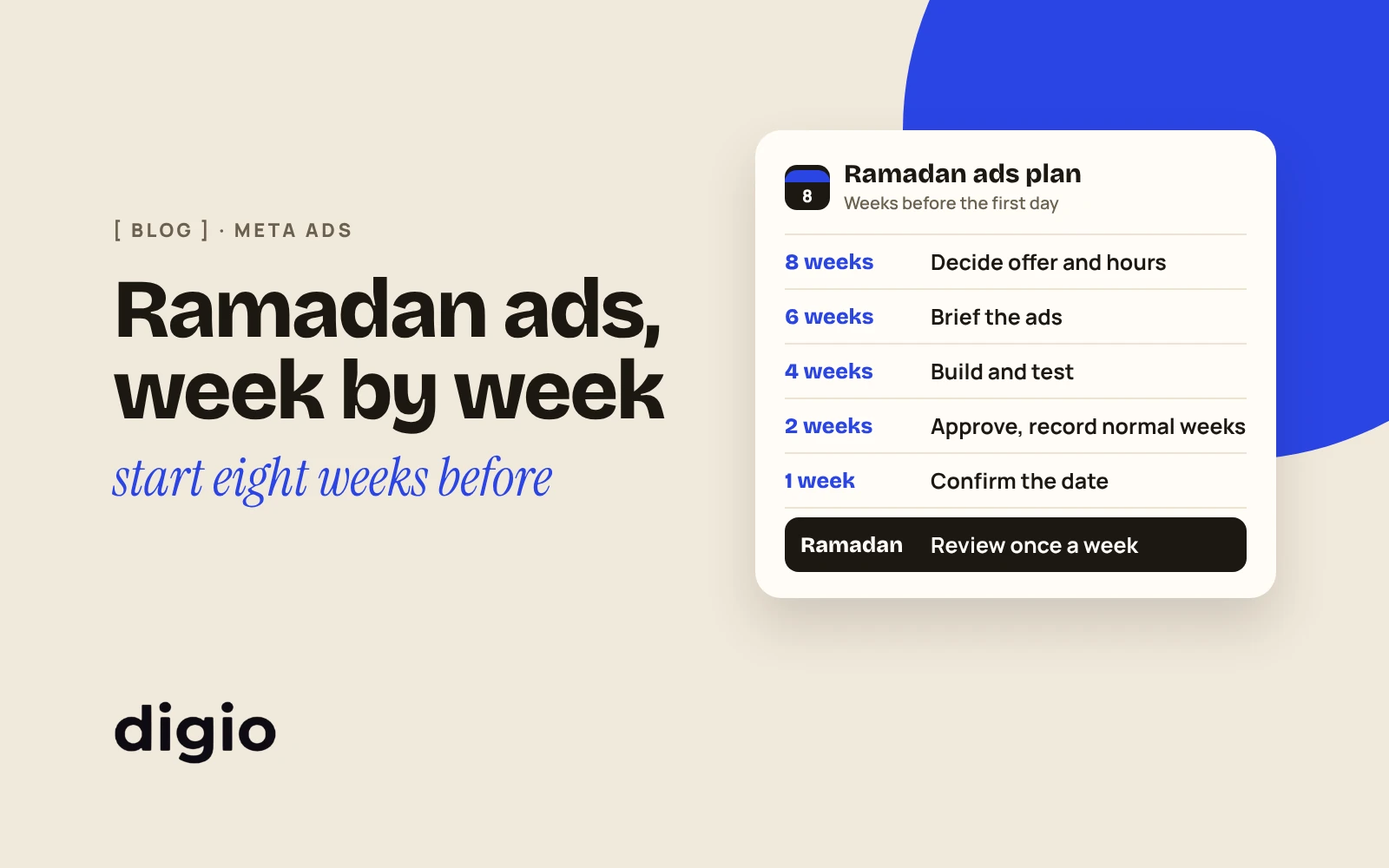
Start planning your Ramadan ads about eight weeks before the expected first day, and have them approved and ready two weeks before. For 2027 the expected start is Monday 8 February, so planning begins in mid-December. The date is a forecast until the moon is sighted, so every date below can move by a day.
This calendar is for an owner who runs Facebook and Instagram ads, alone or with an agency, and wants to know what to decide and when.
1When does Ramadan 2027 start?
Astronomical calculations point to Monday 8 February 2027, and the official date is confirmed only after the crescent moon is sighted. Gulf News and Khaleej Times both report that forecast and the same condition.
The same forecasts place Eid Al Fitr on Tuesday 9 or Wednesday 10 March, depending on whether Ramadan lasts 29 or 30 days (Gulf News).
Plan around 8 February and keep one day of slack on each side.
Check it yourself: before you switch on any offer that depends on the date, look for the official announcement. In the UAE the date is announced by the moon-sighting committee and published by WAM, the Emirates News Agency. We will update the dates on this page when it is announced.
2What should I decide before any ad is made?
Decide three things first: what you will offer, when you will be open, and who will answer. Ads can be changed in a day. These three cannot.
Check it yourself: write the three answers on one page. If you can’t fill in one of them, that is this week’s job, not the ads.
3The calendar, week by week
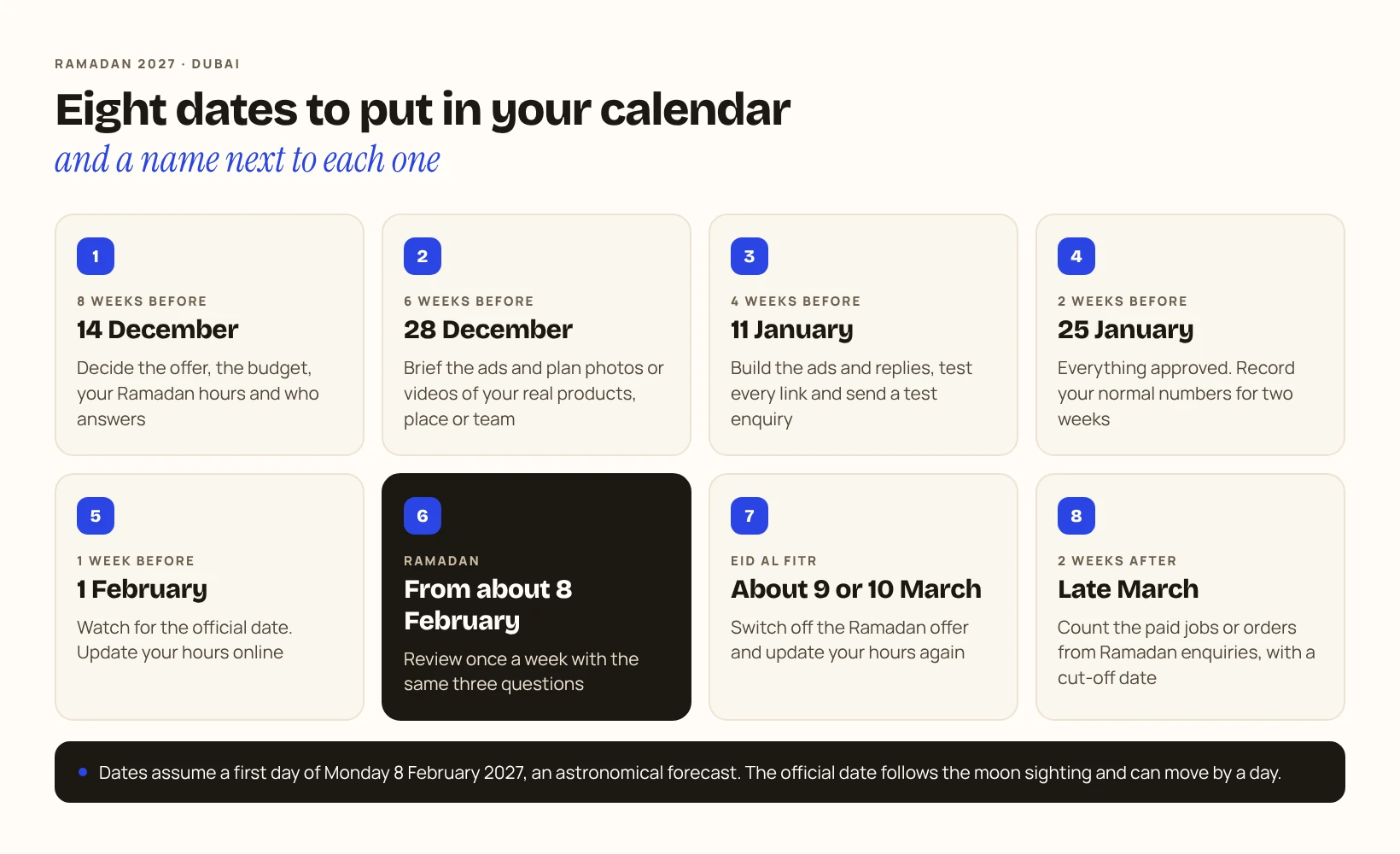
The dates assume a first day of Monday 8 February 2027. Move them if the confirmed date differs.
| When | Week starting | What to do |
|---|---|---|
| 8 weeks before | 14 December | Decide the offer, the budget for the month, your Ramadan hours, who answers enquiries and the reply time you can promise |
| 6 weeks before | 28 December | Brief the ads: what each one says and shows. Plan photos or videos of your real products, place or team |
| 4 weeks before | 11 January | Build the ads and the form or WhatsApp replies. Test every link and send a test enquiry yourself |
| 2 weeks before | 25 January | Have everything approved and ready. Record your normal numbers for each of these two weeks separately, so you have something to compare with |
| 1 week before | 1 February | Watch for the official date. Update your hours on your website and your Google Business Profile |
| Ramadan | From about 8 February | Review once a week with the same questions: ad spend, enquiries your business recorded, and what you will change |
| Eid Al Fitr | Expected around 9 or 10 March | Switch off the Ramadan offer on the day it ends. Update your hours again |
| 2 weeks after | Late March | Count the completed and paid jobs or orders that came from Ramadan enquiries, with a cut-off date |
Ready and running are two different dates. Ready means approved, tested and waiting, and the calendar puts that two weeks before the expected first day. When you switch the ads on depends on the offer. If customers need time to plan or book, such as a reservation, a catering order or a gift that has to be delivered, start before Ramadan. If the offer only applies during the month, start on the confirmed first day. If it is for Eid, start in the last part of the month. Write the start date next to each ad when you approve it.
For the hours on your profile, Google explains the options in Edit your business hours. Whatever you change, change it in every place a customer might look. To see whether those changes bring calls or visits, read what your Google Business Profile numbers really tell you.
Check it yourself: put the eight rows in your calendar today with a name next to each one.
4What should I record so I can judge it afterwards?
Record the same numbers before and during Ramadan, counted the same way. Without the “before”, you will have nothing to compare with.
Record each of the two weeks before Ramadan separately, and then each week of Ramadan. For every week, keep:
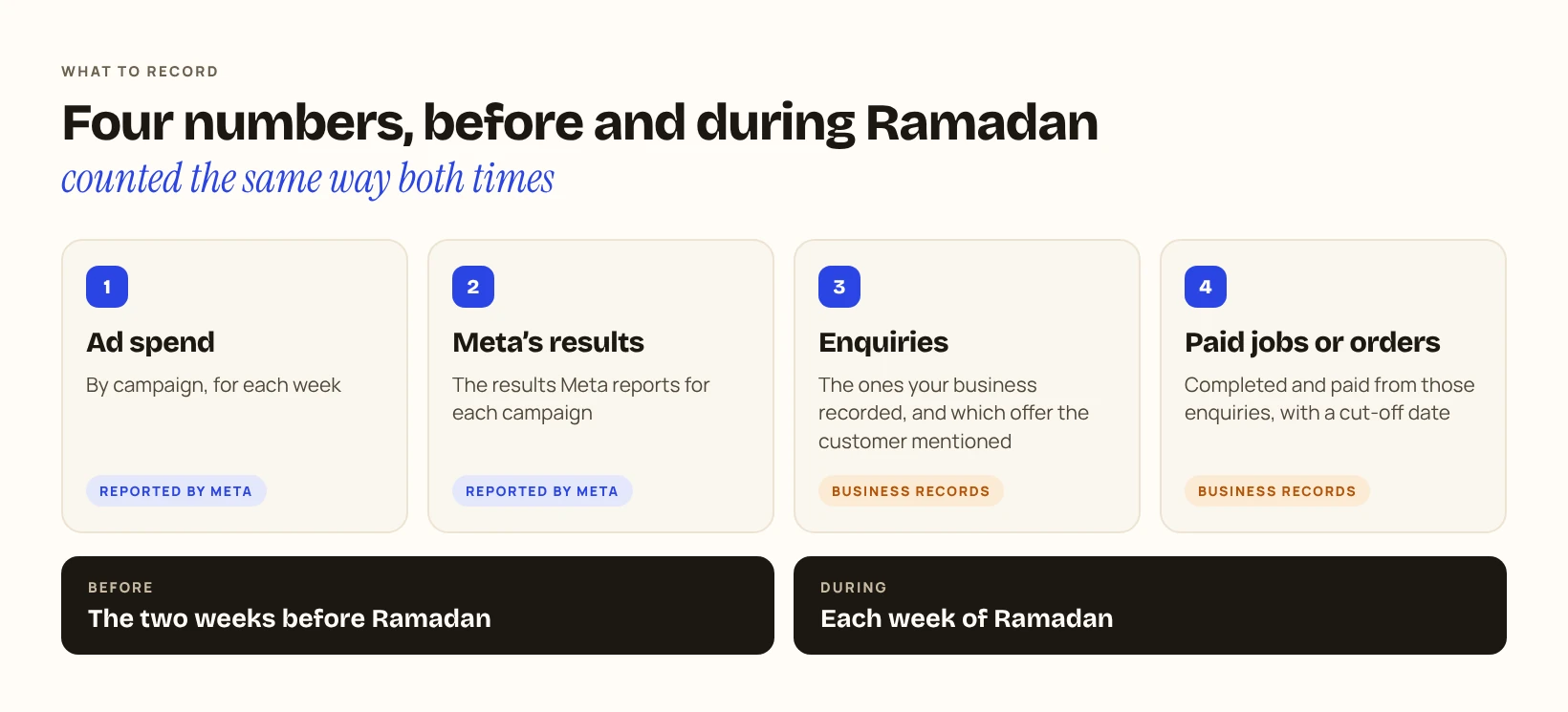
Compare week with week using the same definitions: campaigns with the same objective, the same meaning of “enquiry” and the same meaning of “paid”. Give every week the same amount of time for its enquiries to become paid jobs or orders. If you count a pre-Ramadan week 14 days after it ends, count each Ramadan week 14 days after it ends too. Next to each week, note any change to a campaign, the offer or the spend.
The comparison shows what changed. It does not show why. A rise or a fall can come from the offer, your hours, the ads, the season or something else, and saying which one needs more evidence than two sets of numbers. Keep the record anyway: it is the best starting point you will have for next year.
If your ads open WhatsApp, this guide shows how to tell which ad brought each chat, so the offer a customer mentions can be traced back to the ad. If they use a lead form, check these four things when lead forms bring bad leads.
Check it yourself: before 25 January, confirm that you can produce those four numbers for last week. If you can’t, fix that first.
5What to ask your agency
Ask these questions before mid-December, while there is still time to change the plan. For what to look for in the weekly report itself, see how to read a Facebook and Instagram ads report.