Author: Miriam Reviewed by: Ryan Rusu
To track which of your click-to-WhatsApp ads brings you customers, count four things separately: chats started, chats about a service you sell, quotes sent, and jobs done and paid. Meta can tell you the first. Only your business can record the other three, and it needs a simple rule to link each chat to an ad. Assign a chat to an ad only when the signal is clear enough. If the source is ambiguous, log it as “source unknown” and leave it out of the per-ad figures.
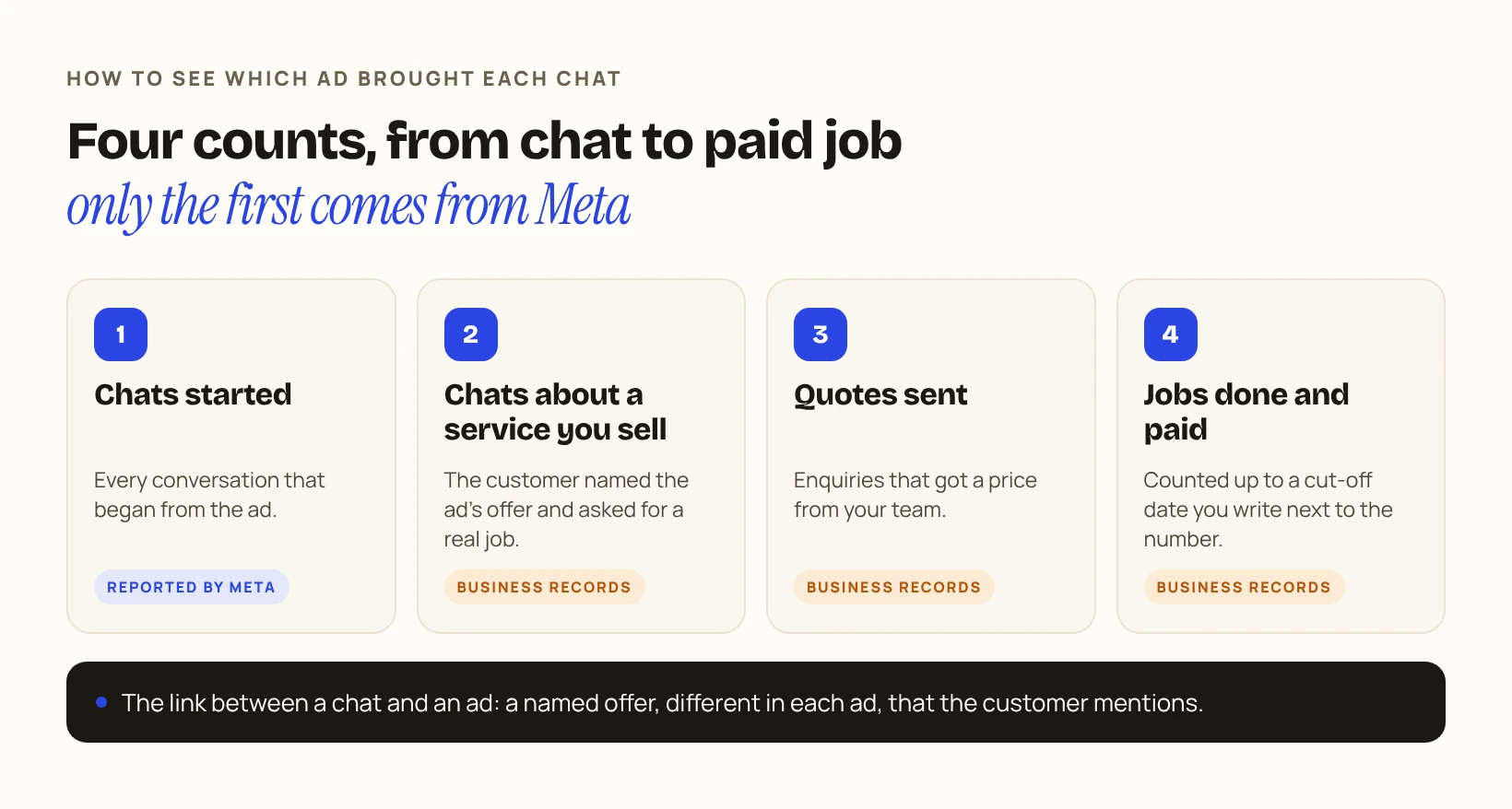
This guide shows one way to do it with a shared sheet and no extra software. The example is a made-up AC maintenance company in Dubai with two ads.
Illustrative example · fictional figures. It is not a DIGIO report and it does not show any client’s results.
1What does Meta count, and where does it stop?
Meta counts the chats that started, not what was said in them. Ads that click to WhatsApp send the person who taps the ad straight into a WhatsApp conversation with your business, and Meta’s help centre lists a metric called Messaging conversations started for them.
A started chat can be a future customer, someone asking for a job, or a wrong number. Ads Manager shows them as the same thing.
Check it yourself: ask your agency how many conversations Meta reported for each ad last week. Keep that number. You will compare it with your own.
2How can I tell which ad a chat came from?
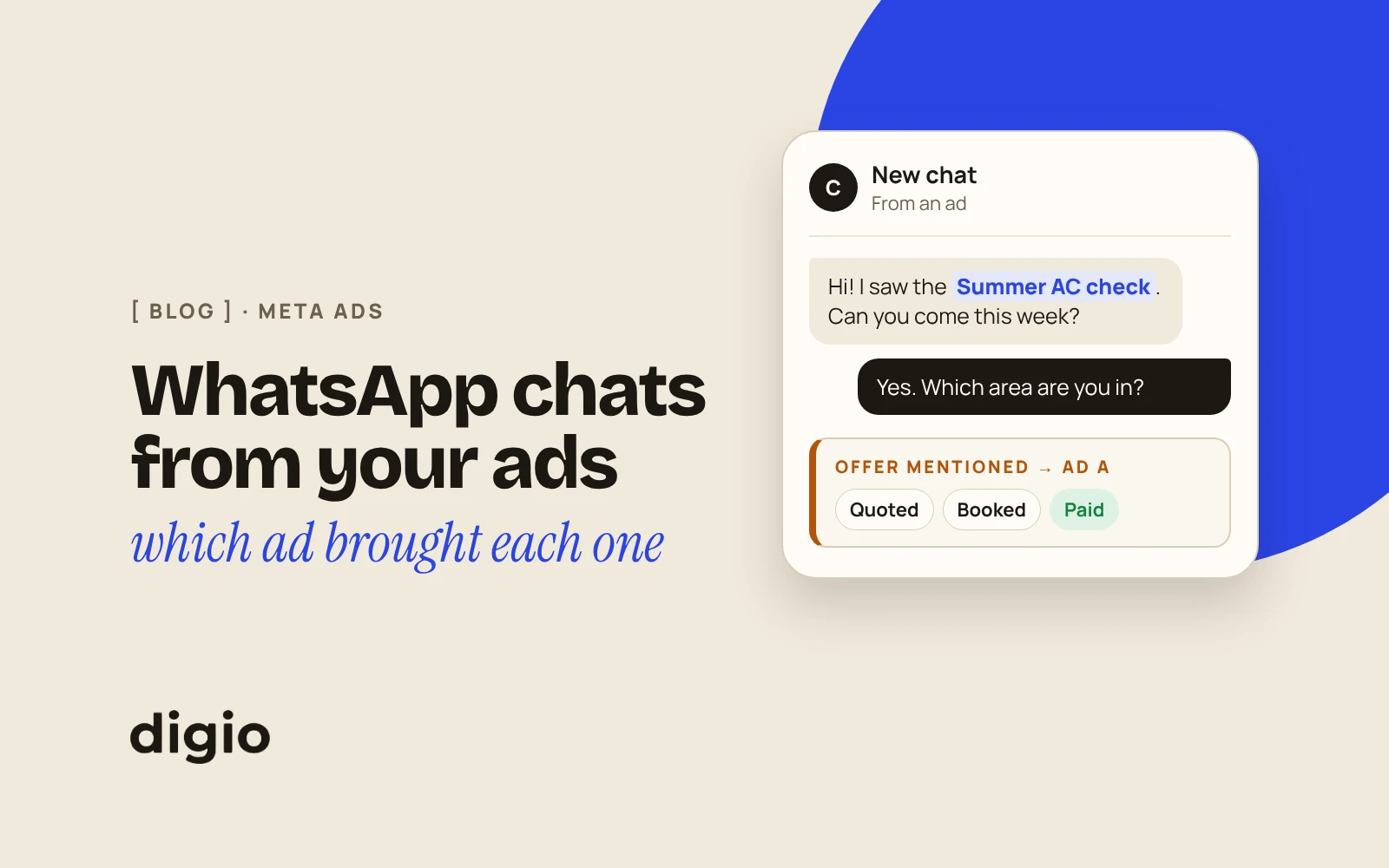
You need one visible difference between the ads, so that the customer tells you which one they saw without being asked twice. The simplest is a different named offer in each ad, used nowhere else.
In the example, Ad A promotes a “Summer AC check” and Ad B promotes a “Full AC deep clean”. Neither offer appears on the website or in any other ad. When a chat arrives, the person answering asks one question if the customer hasn’t said it already: “Which offer did you see?”
A message template can be an extra clue, but only after you test it. Meta lets you create a message template for an ad that clicks to WhatsApp, with its own greeting and questions. Send a test message from each ad. If the person who answers the chat can see a different and reliable signal for each ad, use it as a second clue. If not, ignore it. Either way, the exclusive offer stays the main method.
Check it yourself: look at your current ads side by side. If a customer wrote to you now, could you tell from their first two messages which ad they came from? If not, change the offer name in one of them.
3How should I log each chat?
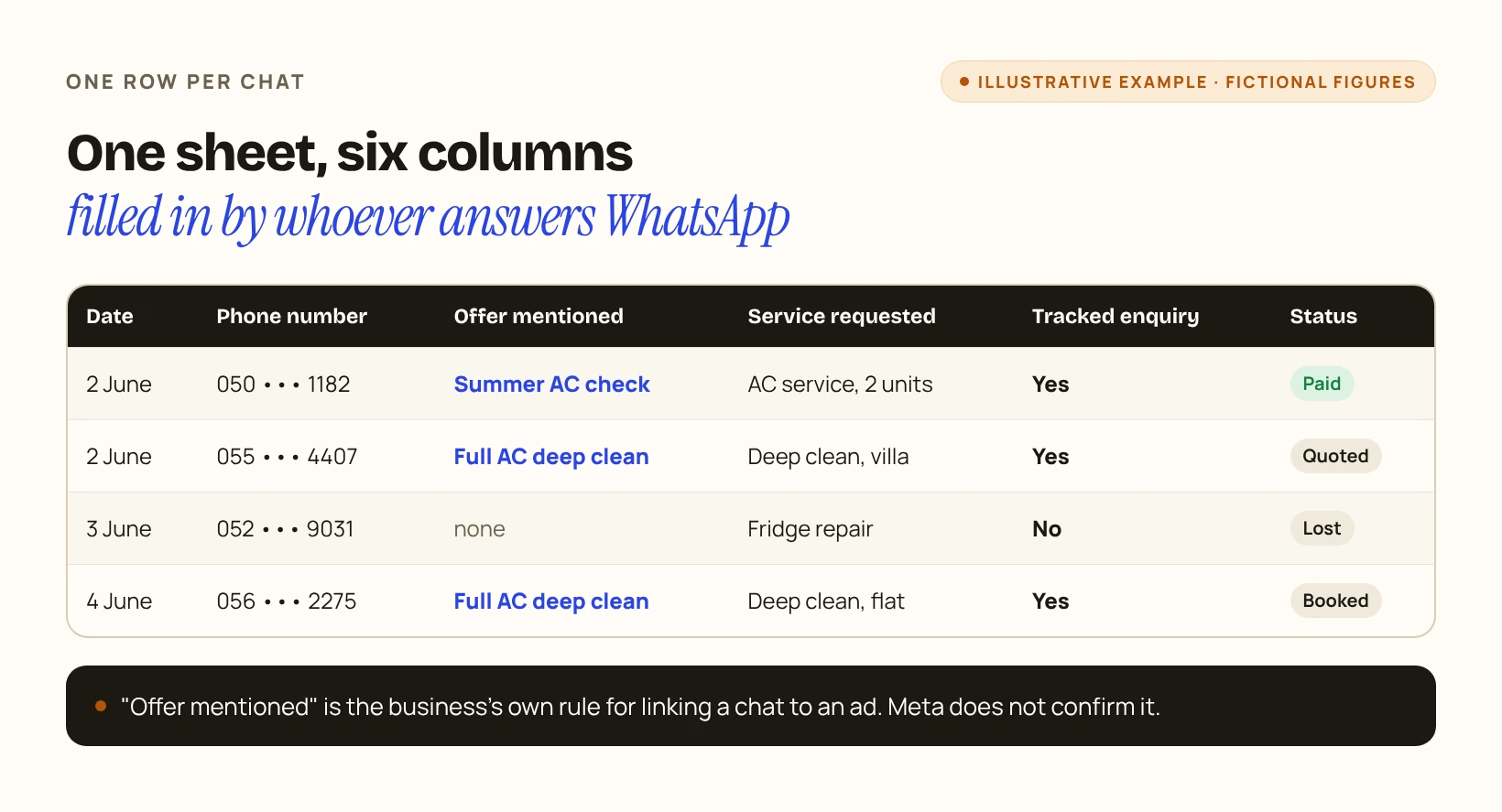
One row per chat, filled in by whoever answers WhatsApp, is enough. The sheet needs six columns:
| Column | What to write |
|---|---|
| Date | The day the chat arrived |
| Phone number | To match the chat with a later job |
| Offer mentioned | The offer the customer named. If they named none, or it is not clear which ad they saw, write “source unknown” |
| Service requested | What they asked for |
| Tracked enquiry | Yes, only if they clearly named the offer of one ad and asked about a service you provide. Chats logged as “source unknown” are not counted for any ad |
| Status | Quoted, booked, completed, paid, or lost |
The offer mentioned is the rule the business uses to classify a chat under an ad. It is the business’s own classification, not something Meta confirms.
Check it yourself: open the sheet at the end of one day and compare the number of rows with the chats you remember answering. If rows are missing, the habit is not in place yet.
4How do I follow enquiries until they are paid?
A job is counted for an ad only if its enquiry was logged in the reporting week under that ad’s offer. Jobs take time, so pick a cut-off date and write it next to the number.
In the example, the report covers 1 to 7 June and jobs are counted up to 21 June.
| Metric | Ad A | Ad B |
|---|---|---|
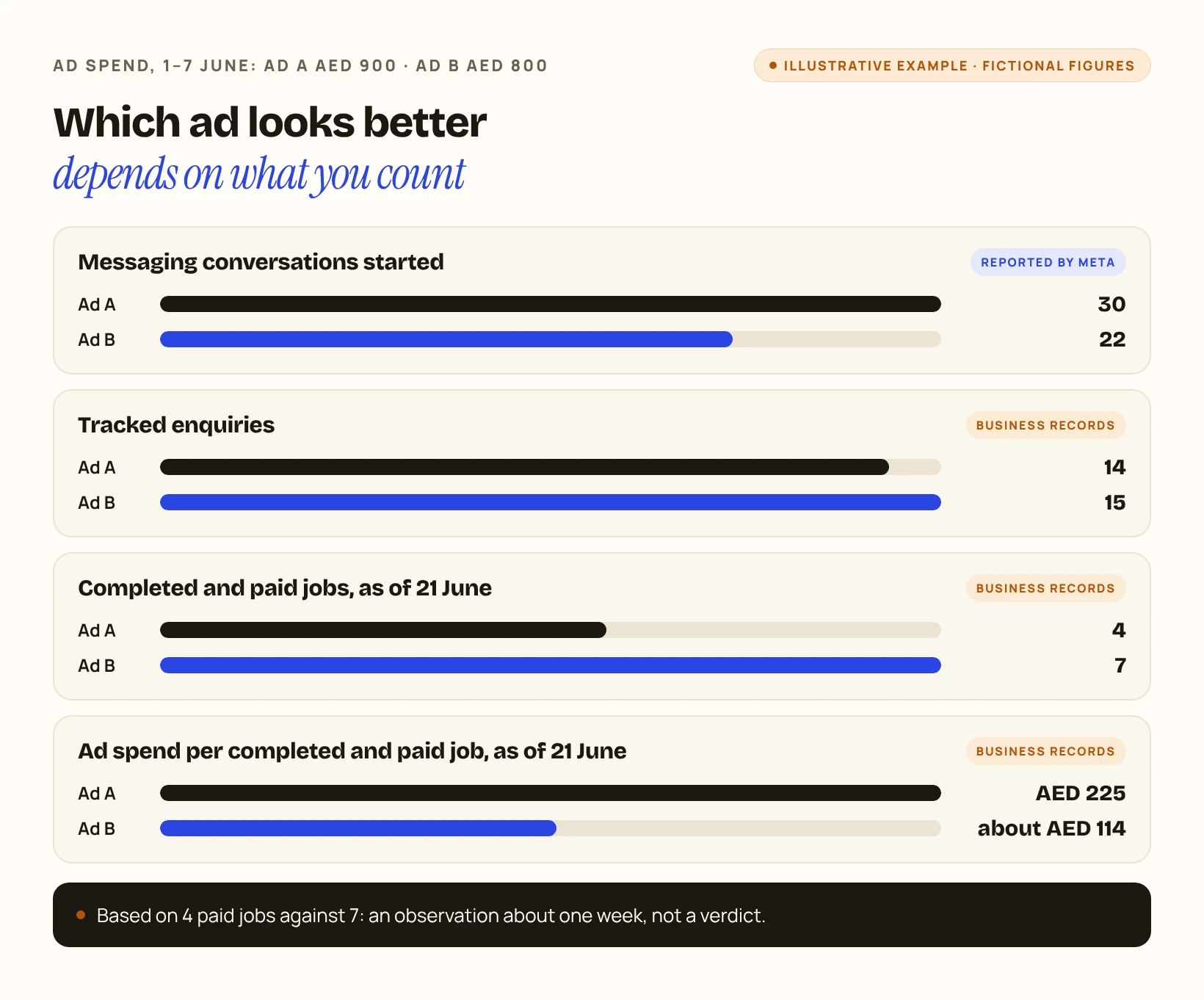
| Ad spend, 1–7 June | AED 900 | AED 800 |
| Messaging conversations started (reported by Meta) | 30 | 22 |
| Tracked enquiries (logged by the business) | 14 | 15 |
| Quotes sent (logged by the business) | 9 | 11 |
| Completed and paid jobs, as of 21 June (logged by the business) | 4 | 7 |
| Ad spend per tracked enquiry | about AED 64 | about AED 53 |
| Ad spend per completed and paid job, as of 21 June | AED 225 | about AED 114 |
Meta’s count and the business’s log are two separate counts. They were not matched chat by chat, so the table says nothing about the conversations the business did not log as enquiries.
Check it yourself: for last week’s enquiries only, count how many are marked paid today, and write today’s date next to that number. Divide that week’s ad spend for each ad by that number. Leave out jobs that came from older enquiries or from other sources.
5How should I read the result?
In the example, Ad A started more chats and Ad B has the lower observed ad spend per paid job. That is what one week shows. It rests on 4 jobs against 7, and the sheet does not say why the ads differed.
A careful next step is to keep both ads running, keep the same sheet, and look again with more weeks before moving budget.
Check it yourself: before you pause an ad, ask how many paid jobs the decision is based on. If the answer is a handful, wait for more.
6Where do I start if I cannot link chats to ads today?
Start with three things:
If your agency also sends you a weekly report, these six questions help you check what it shows. If your ads use a lead form instead of WhatsApp, start with four things to check when lead forms bring bad leads.